Media Professional Tool
Own Your Schedule. Own Your Earnings
SetSum helps UK models, actors and supporting artistes effortlessly track gigs, manage bookings, and stay on top of every pound you earn so you can focus on what you do best.


About Us
Built to Simplify the Business Behind the Spotlight
Being a model or performer isn’t just about the work you do on set. It’s managing invoices, tracking payments, chasing confirmations, and planning your next gig. We created SetSum to take the hassle out of all that.
From bookings to earnings, everything lives in one organised space, giving you clarity, confidence, and control over your career, without the admin stress.
Our Features
From set calls to paydays, manage every step with clarity. SetSum keeps your work, income, and schedule perfectly aligned. Built for models and performers who mean business.

Timesheet Tracking
Timesheet Tracking
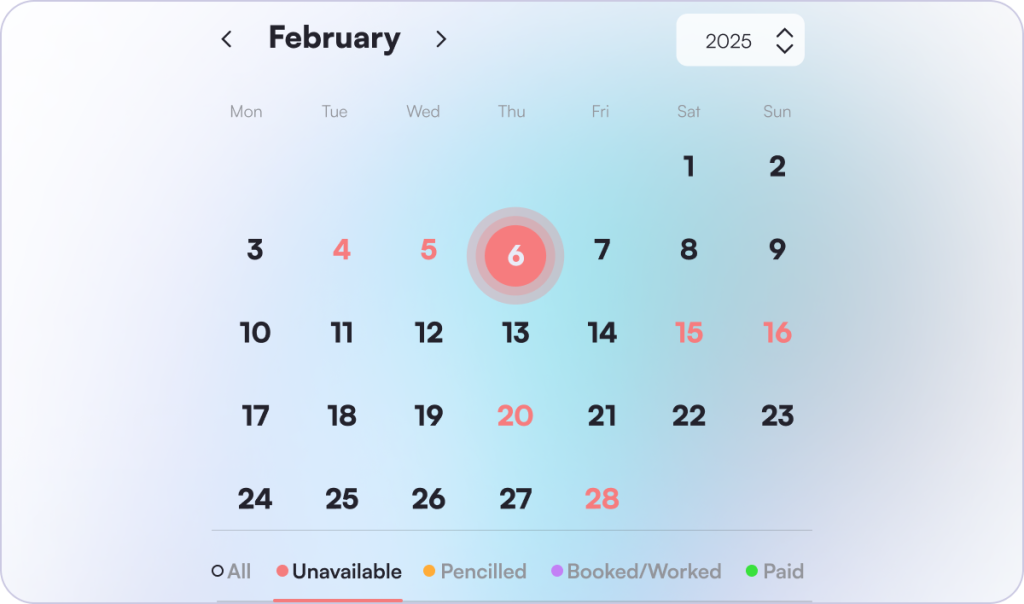
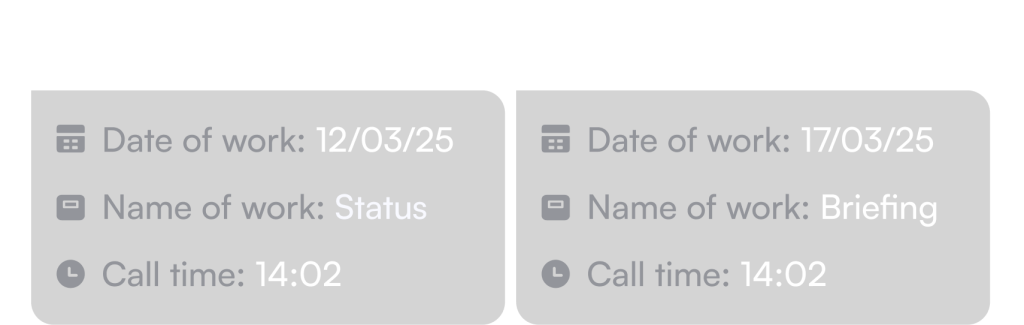
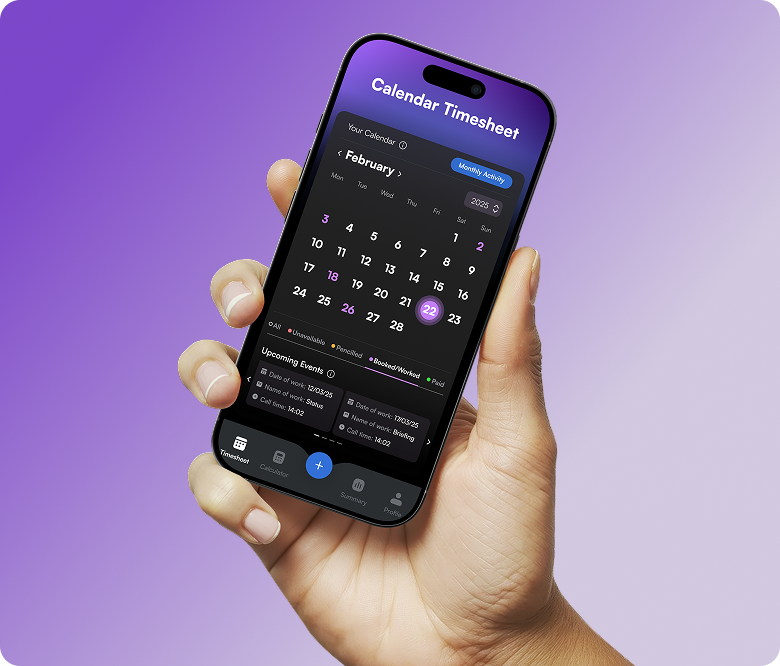
Effortlessly log your work days with a smart calendar designed for the film and TV industry. Track each shift, update job status from pencilled to paid, and view your progress at a glance, all in one simple, organised view.
Stay in control of your schedule with clear colour-coded days for availability, bookings, and payments, which can be filtered using the bottom bar so you can quickly focus on what matters most.

Pay Calculator
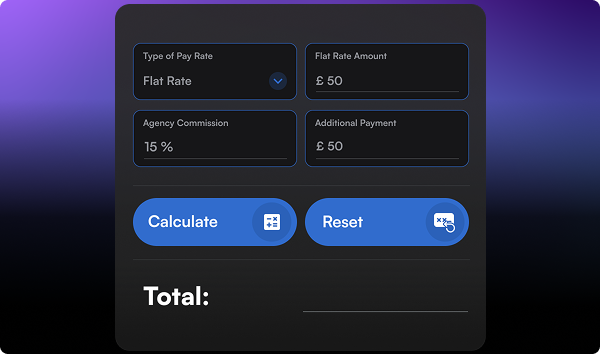
Automatically estimate your earnings with built-in support for multiple pay structures, including FAA/PACT, BBC, PACT/Equity, and Flat Rates. SetSum handles complex pay rules, overtime, and deductions such as agency commission. Giving you a clear and reliable estimation of your true earnings in seconds.
Pay Calculator

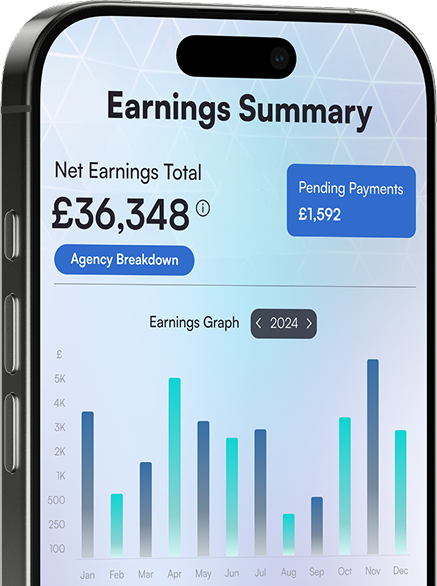
Earnings Summary
Earnings Summary
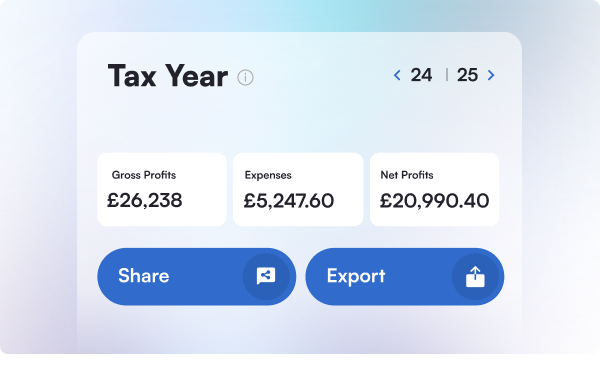
Gain detailed insights into your earnings patterns, productivity trends, and overall profitability with interactive charts and customisable reports.
Track your Gross Earnings, Expenses, and Net Earnings across tax years, and easily share or export your data. Each export displays your agency details and lists every job completed within the tax year, showing the Gross Earnings, Expenses, and Net Earnings for each project, along with category totals for a clear year-end overview.

Secure & Private
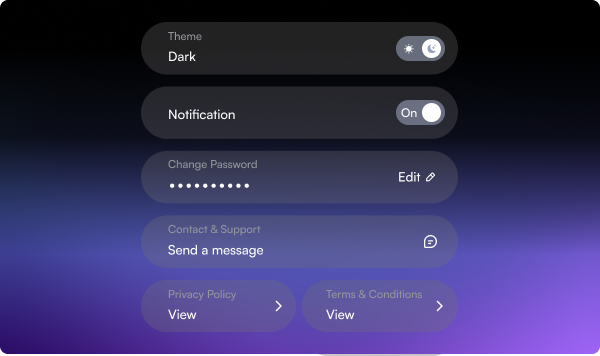
Your financial data is protected with advanced encryption, multi-factor authentication, and biometric security such as Face ID and Touch ID. SetSum follows GDPR privacy standards to ensure your information remains safe and confidential.
SetSum never shares your data with third parties and gives you full control over your account, passwords, and privacy settings, keeping your information secure at every step.
Secure & Private
Simplify Life, Streamline Your Work
Effortless Time Management and Task Tracking
SetSum helps you take control of your day with ease. From shift schedules to personal tasks, everything you need is right at your fingertips. Stay organised, stay on top.



Industry Standards
Professional Rate Comparison
| FAA/PACT Daily Rate | BBC Supporting Artiste Day Rate | BBC Walk-on Day Rate | PACT/Equity Standard Day (Outside London) | |
| Base Rate (£) | 111.21 | 97.68 | 114.90 | 114.90 |
| Public Holiday Base Rate (£) | 166.82 | 97.68 | 114.90 | 164.84 |
| Overtime rate (per hr) (£) | 11.69 | 14.10 | 17.50 | 9.16 |
| Public Holiday Overtime Rate (per hr) (£) | 17.54 | 14.10 | 17.50 | 13.74 |
| Holiday Pay Added (£) | 13.42 | 11.79 | 13.87 | 13.26 |
| FAA/PACT Night Rate | BBC Supporting Artiste Night Rate | BBC Walk-on Night Rate | PACT/Equity Night Rate (Outside London) | |
| Base Rate (£) | 166.82 | 101.80 | 139.10 | 164.84 |
| Public Holiday Base Rate (£) | 250.22 | 101.80 | 139.10 | 219.79 |
| Overtime rate (per hr) (£) | 17.54 | 17.50 | 23.50 | 13.74 |
| Public Holiday Overtime Rate (per hr) (£) | 26.29 | 17.50 | 23.50 | 13.74 |
| Holiday Pay Added (£) | 20.14 | 11.79 | 13.87 | 13.26 |
| Base Rate (£) | 111.21 |
| Public Holiday Base Rate (£) | 166.82 |
| Overtime rate (per half hr) (£) | 11.69 |
| Public Holiday Overtime Rate (per half hr) (£) | 17.54 |
| Holiday Pay Added (£) | 13.42 |
| Base Rate (£) | 97.68 |
| Public Holiday Base Rate (£) | 97.68 |
| Overtime rate (per hr) (£) | 14.10 |
| Public Holiday Overtime Rate (per hr) (£) | 14.10 |
| Holiday Pay Added (£) | 11.79 |
| Base Rate (£) | 114.90 |
| Public Holiday Base Rate (£) | 114.90 |
| Overtime rate (per hr) (£) | 17.50 |
| Public Holiday Overtime Rate (per hr) (£) | 17.50 |
| Holiday Pay Added (£) | 13.87 |
| Base Rate (£) | 109.89 |
| Public Holiday Base Rate (£) | 164.84 |
| Overtime rate (per half hr) (£) | 9.16 |
| Public Holiday Overtime Rate (per half hr) (£) | 13.74 |
| Holiday Pay Added (£) | 13.26 |
| Base Rate (£) | 166.82 |
| Public Holiday Base Rate (£) | 250.22 |
| Overtime rate (per half hr) (£) | 17.54 |
| Public Holiday Overtime Rate (per half hr) (£) | 26.29 |
| Holiday Pay Added (£) | 20.14 |
| Base Rate (£) | 101.80 |
| Public Holiday Base Rate (£) | 101.80 |
| Overtime rate (per hr) (£) | 17.50 |
| Public Holiday Overtime Rate (per hr) (£) | 17.50 |
| Holiday Pay Added (£) | 11.79 |
| Base Rate (£) | 139.10 |
| Public Holiday Base Rate (£) | 139.10 |
| Overtime rate (per hr) (£) | 23.50 |
| Public Holiday Overtime Rate (per hr) (£) | 23.50 |
| Holiday Pay Added (£) | 13.87 |
| Base Rate (£) | 164.84 |
| Public Holiday Base Rate (£) | 219.79 |
| Overtime rate (per half hr) (£) | 13.74 |
| Public Holiday Overtime Rate (per half hr) (£) | 13.74 |
| Holiday Pay Added (£) | 13.26 |
We aim to respond to all enquiries within 48 hours!
FAQ
How does SetSum calculate my pay?
SetSum uses official industry rate structures such as FAA/PACT, BBC, and PACT/Equity agreements, as well as custom flat rates. You simply select your pay type, day type, and any applicable extras like travel, deductions, supplementary fees, or meal penalties. The app then takes into account the time you’ve entered into the calculator and runs built-in formulas to estimate your total earnings, including base pay, holiday pay, and overtime.
How do I add information to a day?
To add information to a day, open your calendar timesheet and tap on the date you want to update. From there, you can enter details such as your shift times, job status, production name, pay rate, and any notes or expenses for that day.
Once you’ve added everything, make sure to click Save. The day will then display your saved details, and any earnings will be reflected in your timesheet summary.
What does “pencilled” mean?
Being pencilled means you’ve confirmed your availability for a job but are still waiting to be officially booked. It’s a way for production to hold your spot while final details are being confirmed.
How can I move a job from pending payment to my net total earnings graph?
To update a job from Pending Payment to your Net Earnings graph, open your Calendar Timesheet and tap on the specific date of the job. On the Shift Details screen, change the job status from “Booked/Worked” to “Paid”
When marking a job as Paid, be sure to enter the correct Payment Date — this ensures the earnings appear on the day you were actually paid, so your totals and tax-year summaries stay accurate.
Once you’ve updated the status and payment date, tap Save to confirm your changes. The job will then be removed from Pending Payments and added to your Net Earnings graph.
After you’ve received your exact payment, you can also enter details such as Gross Earnings and any Expenses related to the job. SetSum will automatically calculate your Net Earnings for you.